Tổng quan
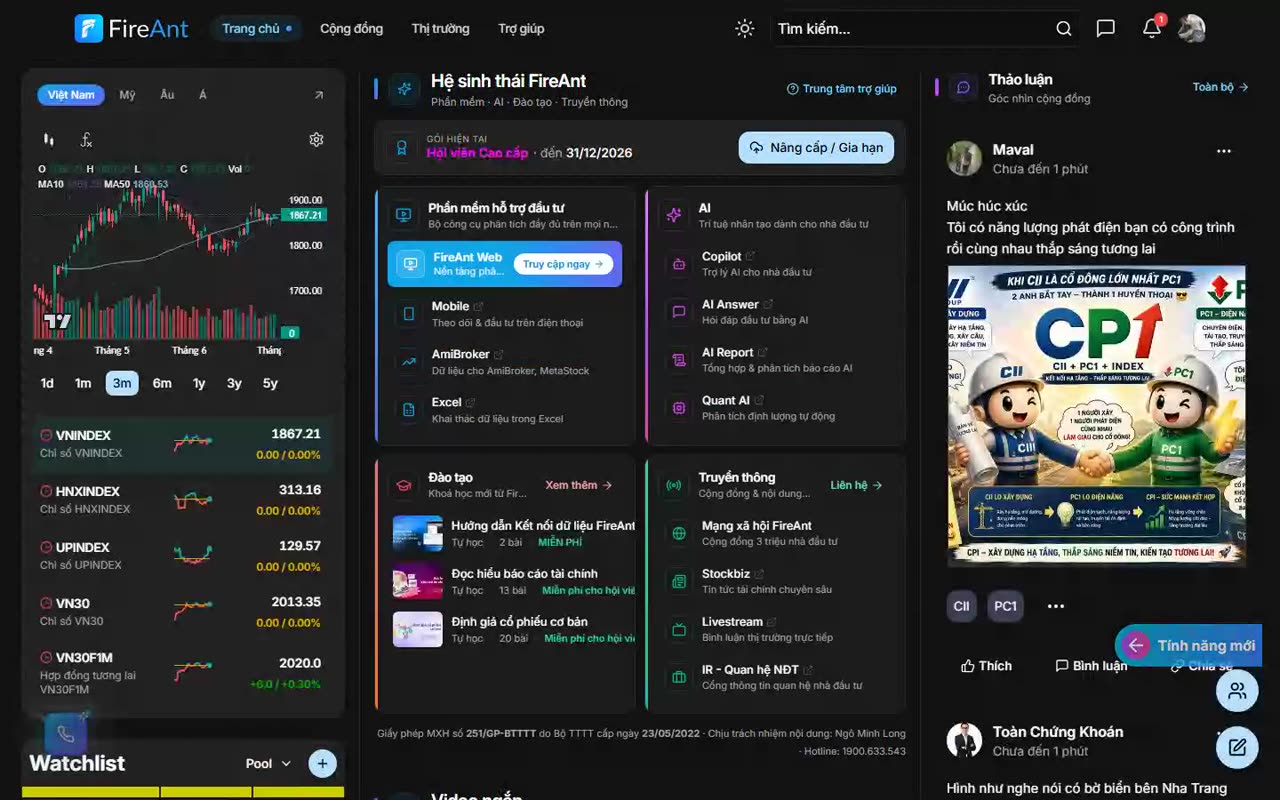
Thông báo giúp bạn quay lại nhanh các bài viết, nhóm, hội thoại, mã chứng khoán và hoạt động liên quan đến tài khoản.
Điều kiện
- Đăng nhập tài khoản FireAnt.
Các bước
- Đăng nhập tài khoản FireAnt.
- Bấm biểu tượng chuông trên thanh đầu trang.
- Xem danh sách thông báo mới và cũ.
- Chọn một thông báo để mở bài viết, hồ sơ, nhóm, hội thoại hoặc mã liên quan.
Overview
Notifications help you quickly jump back to posts, groups, conversations, tickers, and other activity related to your account.
Prerequisites
- Sign in to your FireAnt account.
Steps
- Sign in to your FireAnt account.
- Click the bell icon on the top header bar.
- View the list of new and older notifications.
- Select a notification to open the related post, profile, group, conversation, or ticker.
알림 기능을 사용하면 게시글, 그룹, 대화, 종목 및 계정과 관련된 활동으로 빠르게 돌아갈 수 있습니다.
사전 조건
- FireAnt 계정으로 로그인합니다.
- 상단 헤더 바에서 종 모양 아이콘을 클릭합니다.
- 새 알림과 이전 알림 목록을 확인합니다.
- 알림을 선택하여 관련 게시글, 프로필, 그룹, 대화 또는 종목을 엽니다.
通知功能可帮助您快速返回帖子、群组、对话、股票代码以及与账号相关的其他活动。
前提条件
- 登录 FireAnt 账号。
- 点击顶部标题栏上的铃铛图标。
- 查看新旧通知列表。
- 选择一条通知以打开相关的帖子、资料、群组、对话或股票代码。